Free Wedding Website Builders Compared: Which One Is Right for You?
Compare free wedding website builders: The Knot, Zola, WeddingWire, Joy, and Minted. Features, templates, and which is right for you from

by Sarah Glasbergen on 31 March 2026
Web editor
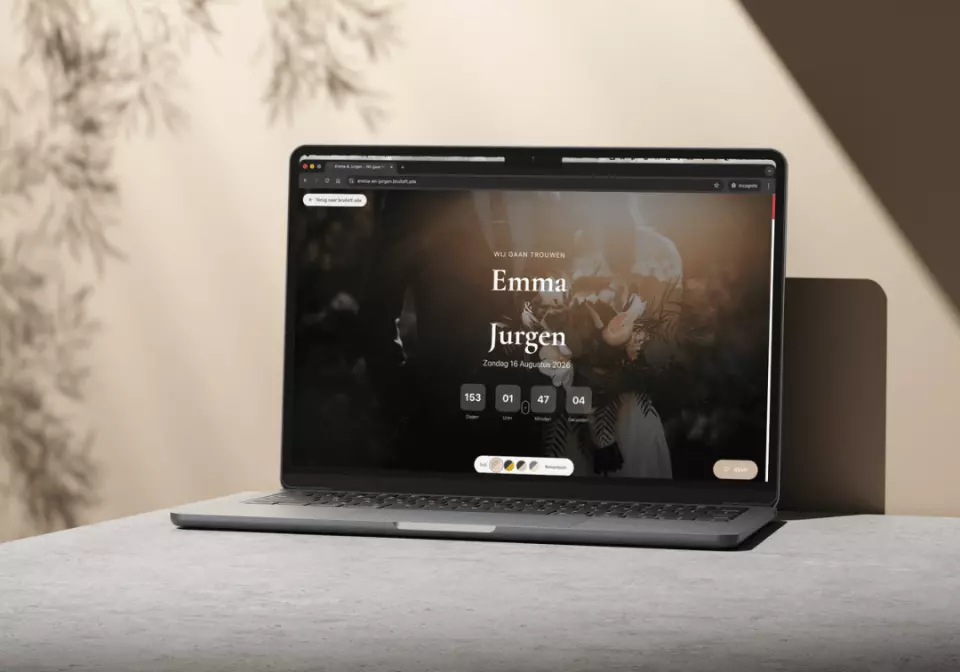
TLDR: A wedding website is where your guests find every detail they need: RSVP, venue directions, dress code, registry, and travel info. ThePerfectWedding.com's tech experts compare the most popular free builders, including The Knot, Zola, WeddingWire, Joy, and Minted, so you can choose the one that matches your style, guest management needs, and budget.
Key Facts at a Glance
- 90% of couples create a wedding website (Source: The Knot, 2025)
- The most-used features: RSVP management, event details, and registry links (Source: WeddingWire)
- All major builders offer free tiers. Custom domains cost $15 to $35 per year (Source: Brides.com)
- ThePerfectWedding.com recommends choosing your wedding website early, ideally when you send save-the-dates
- For what to include on your website, see our wedding website guide
Top Free Wedding Website Builders Compared
| Builder | Free Templates | RSVP Tool | Registry Integration | Custom Domain | Best For |
| The Knot | 160+ | Yes, with guest management | Universal (any store) | $20/year | Couples who want the most comprehensive planning suite |
| Zola | 200+ | Yes, with meal/song collection | Integrated + external links | $18/year | Couples who want website + registry in one |
| WeddingWire | 100+ | Yes, with seating chart tool | Universal | $24/year | Couples focused on vendor reviews and budget tools |
| Joy | 100+ | Yes, clean interface | External links | $25/year | Couples who want the most modern, minimal design |
| Minted | 1,000+ | Yes, basic | External links | Included in paid plans | Design-obsessed couples who want matching stationery |
| WithJoy | Many | Yes, excellent | Universal | Free! | Couples who want a free custom domain |
What Should Your Wedding Website Include?
Essential pages: Your love story (optional but fun), event details (date, time, venue, address, parking), RSVP functionality, registry link, travel and accommodation info (hotels, shuttle details), and a FAQ for common guest questions.
Nice to have: Photo gallery, wedding party introductions, dress code guidance, local activity suggestions for out-of-town guests, and a playlist request form.
For a deep dive into every element, see our full what to include on your wedding website guide.
How to Choose the Right Builder
You want everything in one place: The Knot or Zola. Both combine website, RSVP, registry, checklist, and vendor search in a single platform. The Knot has the most comprehensive planning tools. Zola has the most polished design and best registry integration.
You care most about design: Minted or Joy. Minted offers 1,000+ artist-designed templates that can match your paper invitations. Joy offers a clean, modern aesthetic.
You want a free custom domain: WithJoy. Most builders charge $15 to $35/year for a custom URL, but WithJoy includes it free.
You are already using a platform for planning: Stick with it. If your checklist, budget, and vendor list are on The Knot, build your website there too. Consolidation saves time and prevents data fragmentation.
Setting Up Your Website: Step by Step
1. Choose your builder and template. Pick one that matches your wedding style. Preview multiple templates before committing.
2. Add your event details. Date, time, venue name and address, parking instructions, and any notes about the ceremony location.
3. Set up RSVP. Enable online RSVP with options for meal choice (if applicable), dietary restrictions, and plus-one names.
4. Link your registry. Add links to your registries so guests can find them easily. Most builders support multiple registries.
5. Add travel info. Hotel recommendations (with room block details), airport info, shuttle service, and local restaurant suggestions for out-of-town guests.
6. Share the URL. Include your website URL on your save-the-dates and invitations. Use your invitation timeline to coordinate when to share it.
Expert Tip: "Your wedding website is the single most efficient communication tool in your planning arsenal. Instead of answering 50 individual texts about parking, dress code, and hotel options, put it all on the website and direct guests there. Set it up early, keep it updated, and include a FAQ section that answers the questions you know guests will ask. It saves you hours of repetitive messaging."
Sarah Glasbergen, Senior Wedding Editor at ThePerfectWedding.com
Wedding Website FAQ
When should I create my wedding website?
As soon as you have a date and venue confirmed, ideally 6 to 8 months before the wedding. Include the URL on your save-the-dates. See our 12-month planning checklist for timing.
Do I need a custom domain?
A custom domain (e.g., sarahandmike2026.com) looks more polished and is easier for guests to remember than a long platform URL. It costs $15 to $35/year and is worth it if aesthetics matter to you.
Should I password-protect my website?
Optional. A password prevents random internet users from seeing your personal details, but it adds a step for guests. If privacy matters, add a simple password and include it on your invitation.
Can I include our registry on the wedding website?
Yes, and you should. Link to your registry from the website rather than including it on the paper invitation. This follows modern etiquette and makes it easy for guests to find.
More Planning Tools on ThePerfectWedding.com
Set up your guest communication with our wedding website guide and our invitation timeline. Track RSVPs and manage your guest list with our plus-one etiquette guide and seating chart guide. Find all your vendors on our vendor directory and plan with our 12-month checklist.


